
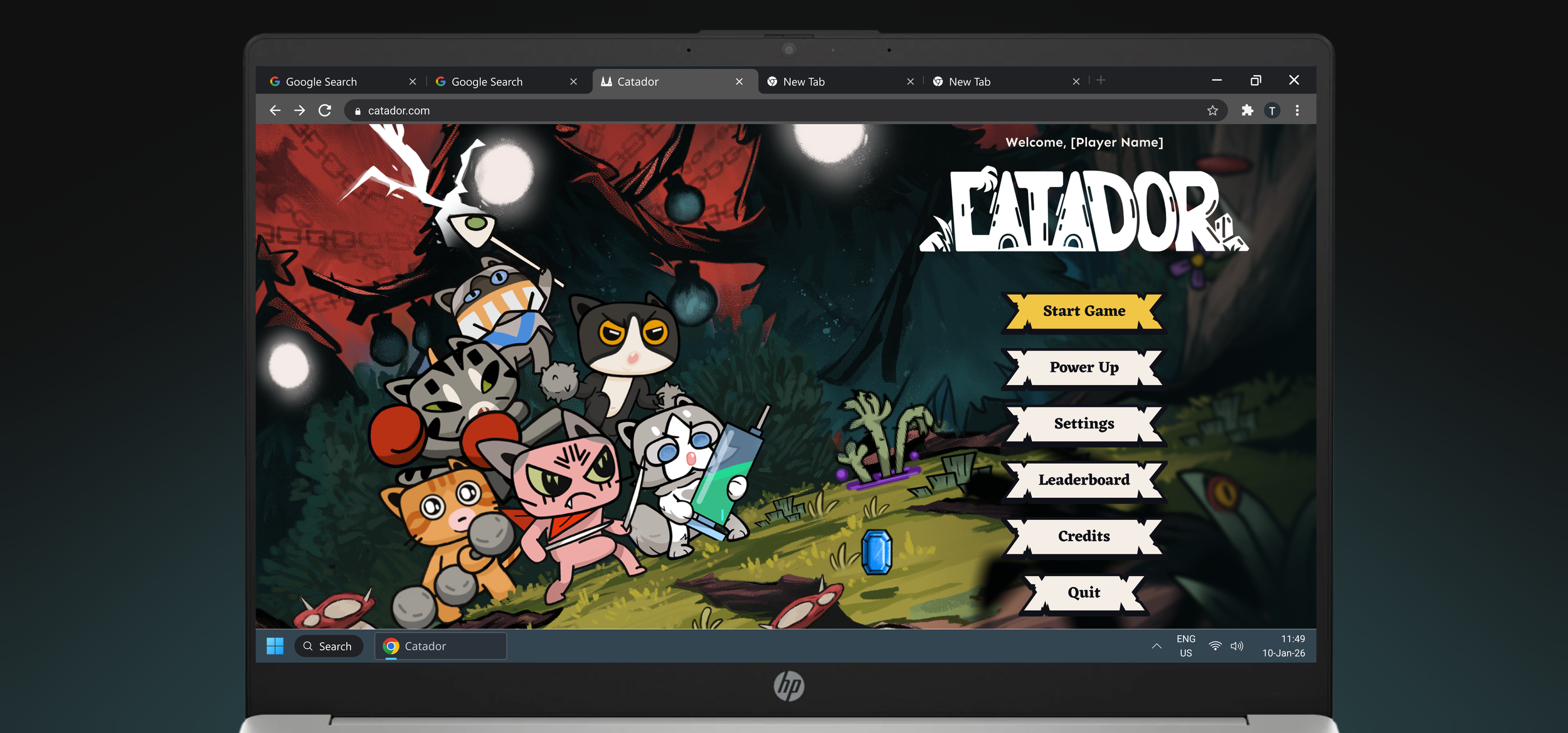
Catador
Game UI & HUD Design
What Is the Project About
Catador is a fun, cat-filled roguelike game where I designed the UI and heads-up display (HUD) system from scratch, covering all core gameplay and meta systems. My work focused on usability, readability in fast-paced combat, and visual consistency with the game’s established art direction.
My Role: Sole UI Designer
As the sole UI designer, I was responsible for all game UI and HUD elements, including a scalable system and mockup annotations, while aligning designs with the visual style set by the art director.
Impact
Accessibility: +42%
User satisfaction: +77%
Error rates: -64%
Problem
The initial layout was incoherent and visually unappealing. Players cannot quickly and easily understand the UI and HUD.

Solution Overview
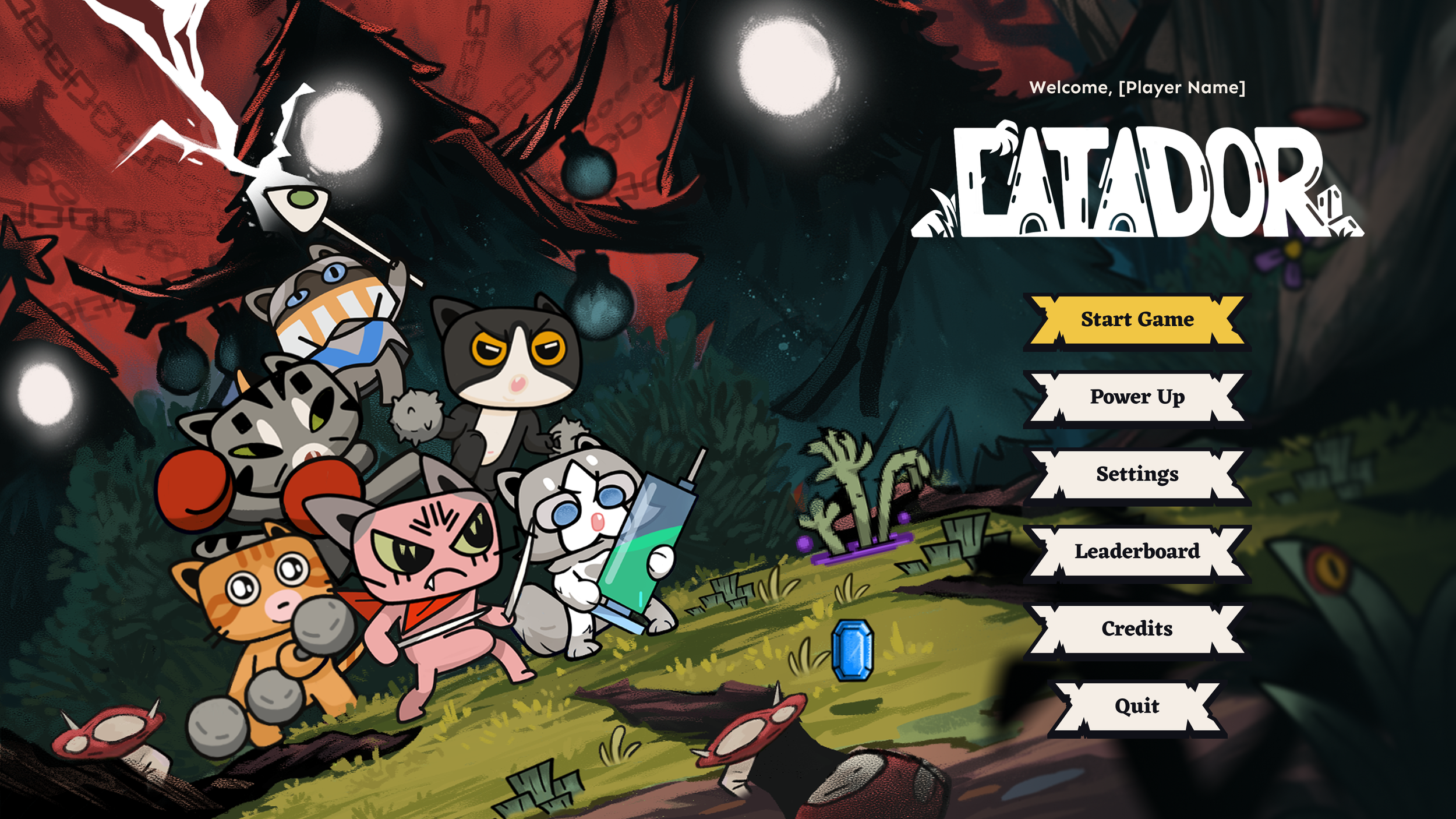
Main Menu
Costumed button design to fit the game visual style
Clear content hierarchy to easily understand the UI
Greeting players with warm welcome for pleasant UX
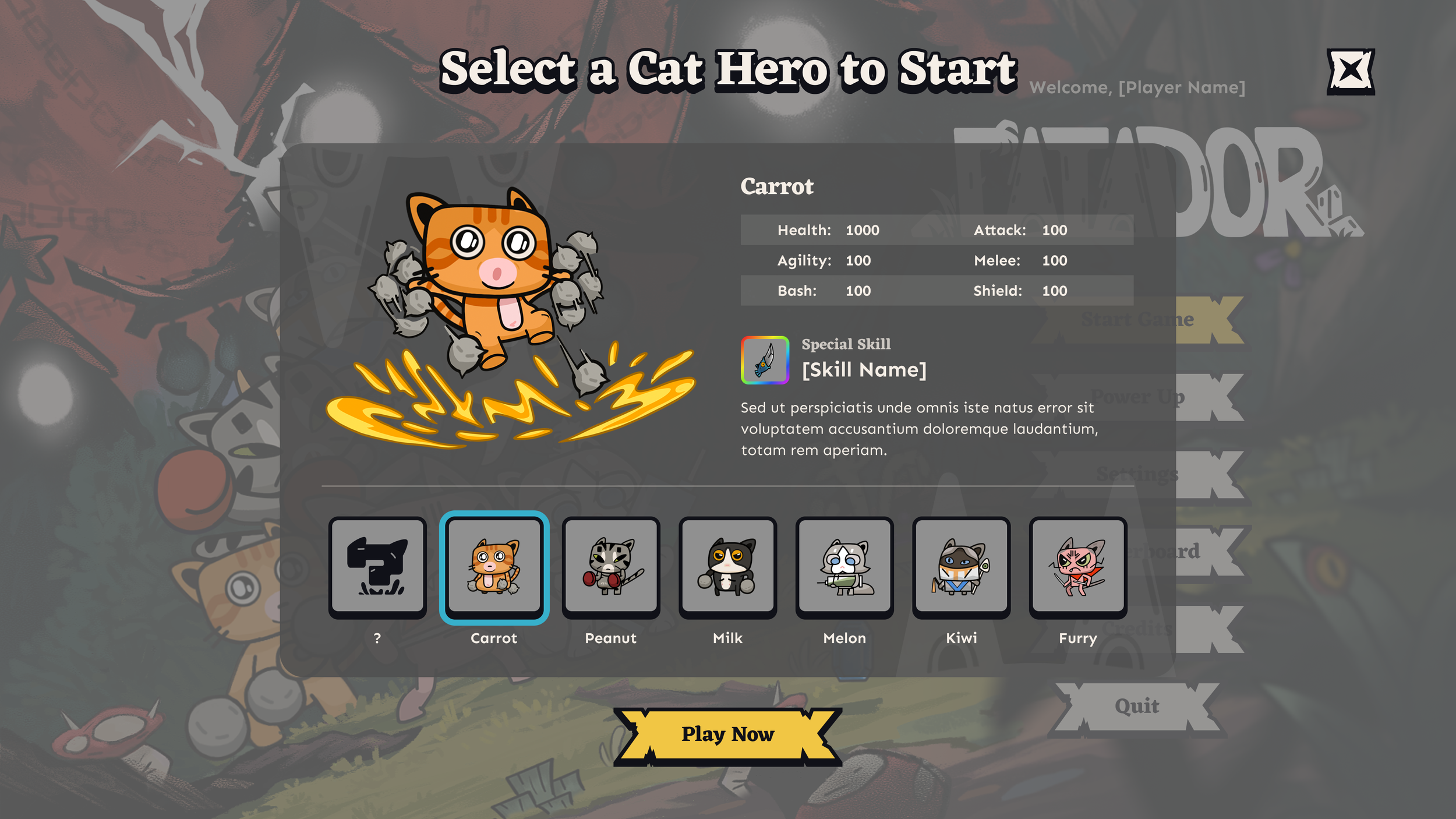
Character Selection
Consistent title and exit button placement in modal design with overlay
Easily understand and differentiate characters with more details
Placing character selections closer with CTA for easier UX to continue the flow
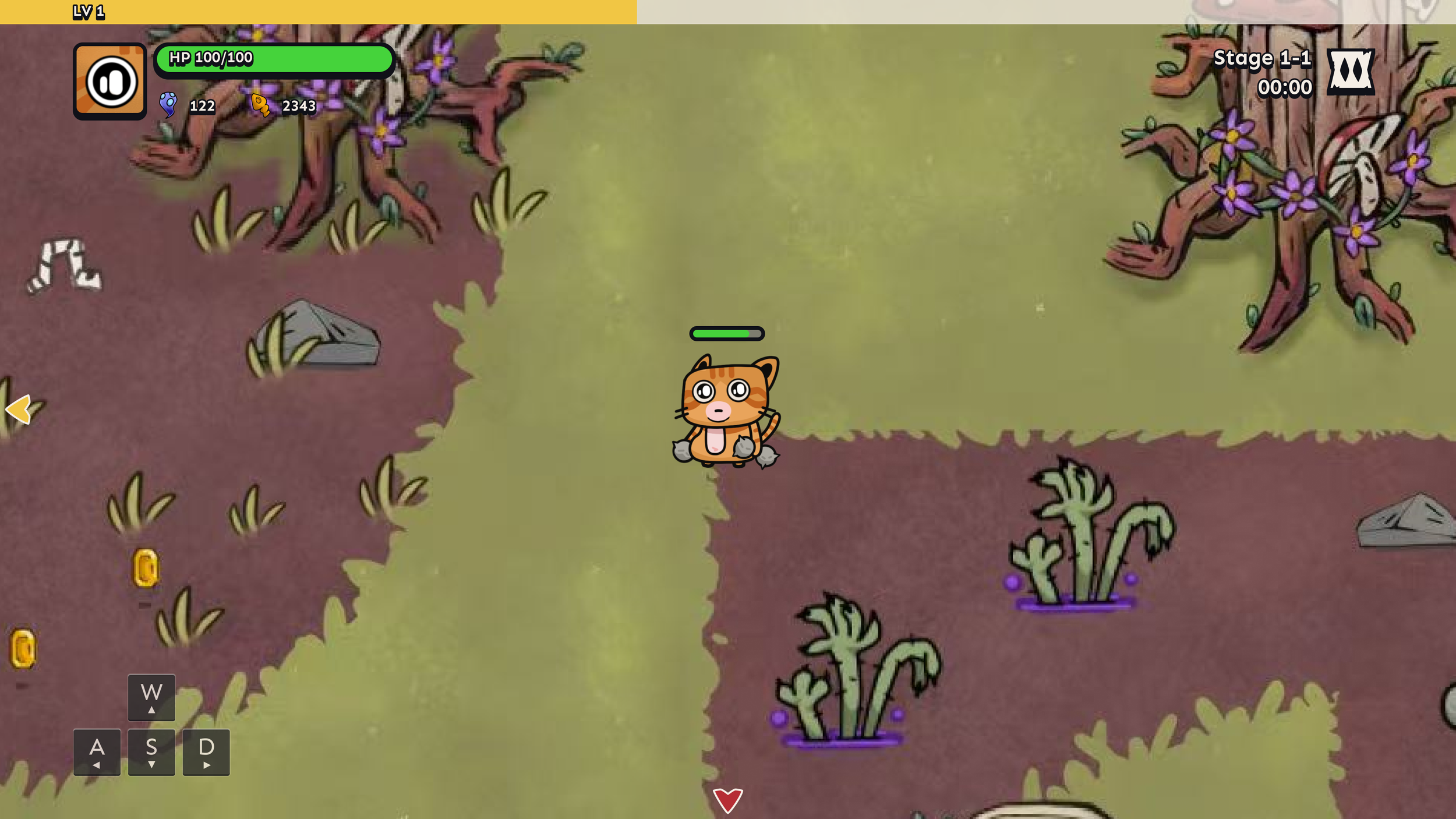
Gameplay View
Clean gameplay view for players to focus on the game
The direction guide only shows up when player is inactive over 5 seconds
Different arrows indicate directions of items off-screen
⬇️ Learn more about the project ⬇️
Competitive Research
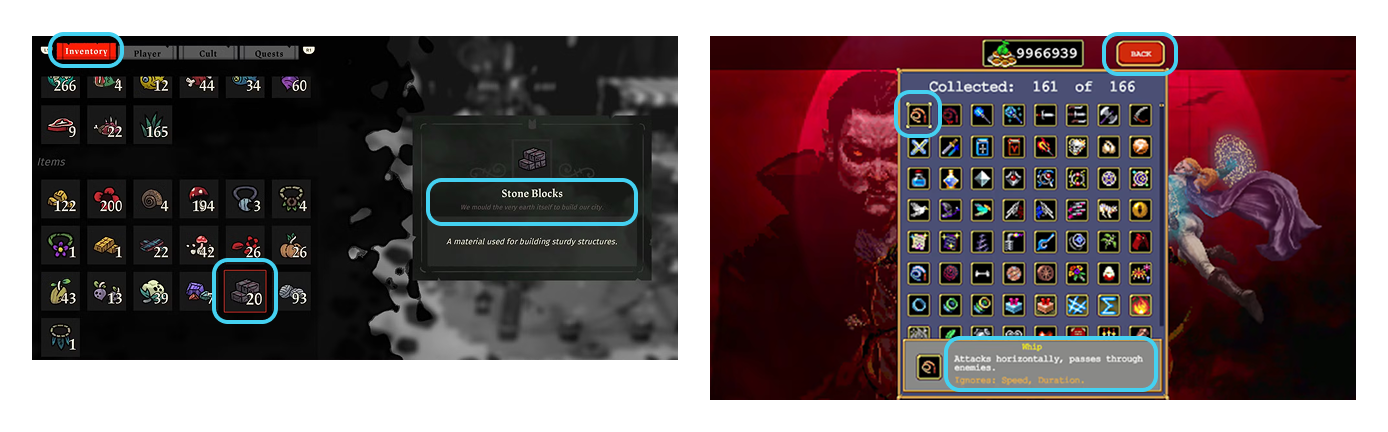
To better design and follow industry standard, I researched on potential competitors such as Cult of the Lamb and Vampire Survivors, analyzing colors, fonts, and accessibility across interactive and visual elements.
Insights
Selected state helps user focus on an item in complex interface
Titles could be stylish while body text should be kept clean and clear
Project Scope and Limitations
Since this is a 0-to-1 project, the game’s UI was initially unclear, making it difficult for players to understand the game. The challenge was to design a UI that:
Remains readable during intense gameplay mode
Fits the game’s visual style without overwhelming players
Is easy for developers to implement and iterate later
Scales across multiple systems (PC, mobile, console)
HMW
How might we create a clear, cohesive UI that helps players quickly understand an the game and navigate the HUD with ease?
Final Designs: Customized Game UI
Foundations: Style and System
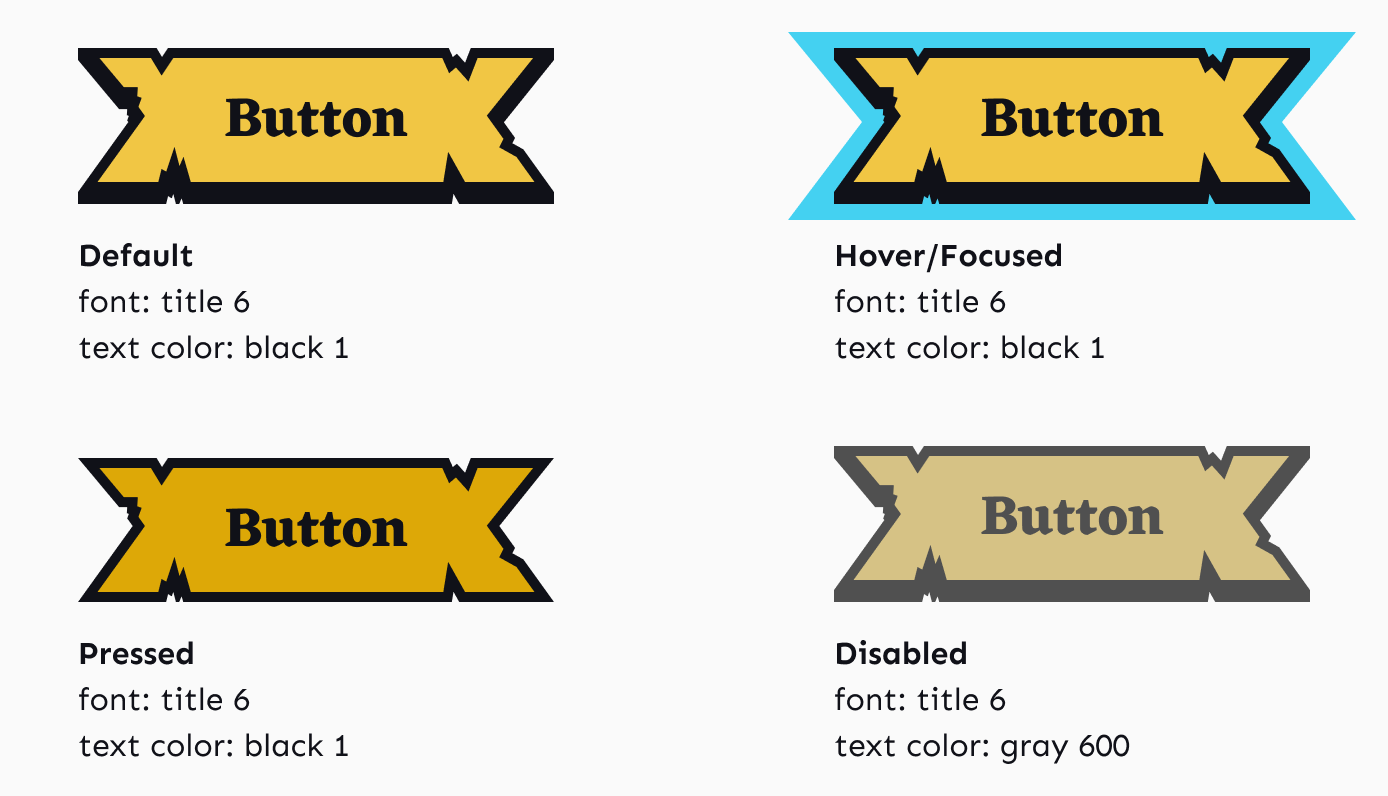
Instead of building a large design system upfront, I created a lean, scalable component set that could evolve alongside game development and still be responsive for desktop, mobile or console controls. Using the same design for hover and focused states creates a consistent gaming experience in PC or console controls.
Feedbacks and Iterations
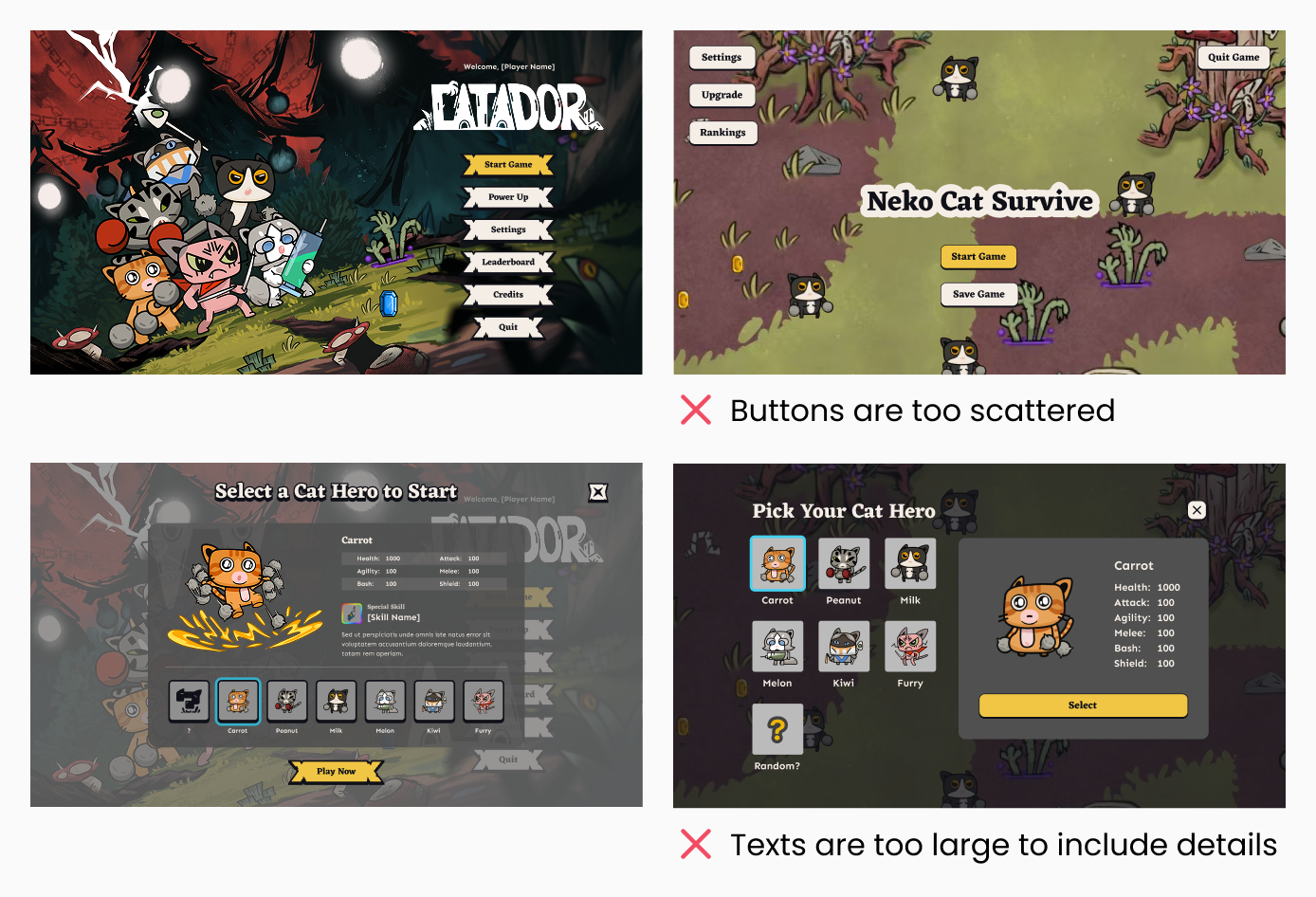
During the process, I iterated designs based on internal play-testing feedbacks, stakeholder’s input on clarity and tone, and developer’s feedbacks on feasibility and layout constraints.
Collaboration and Annotation
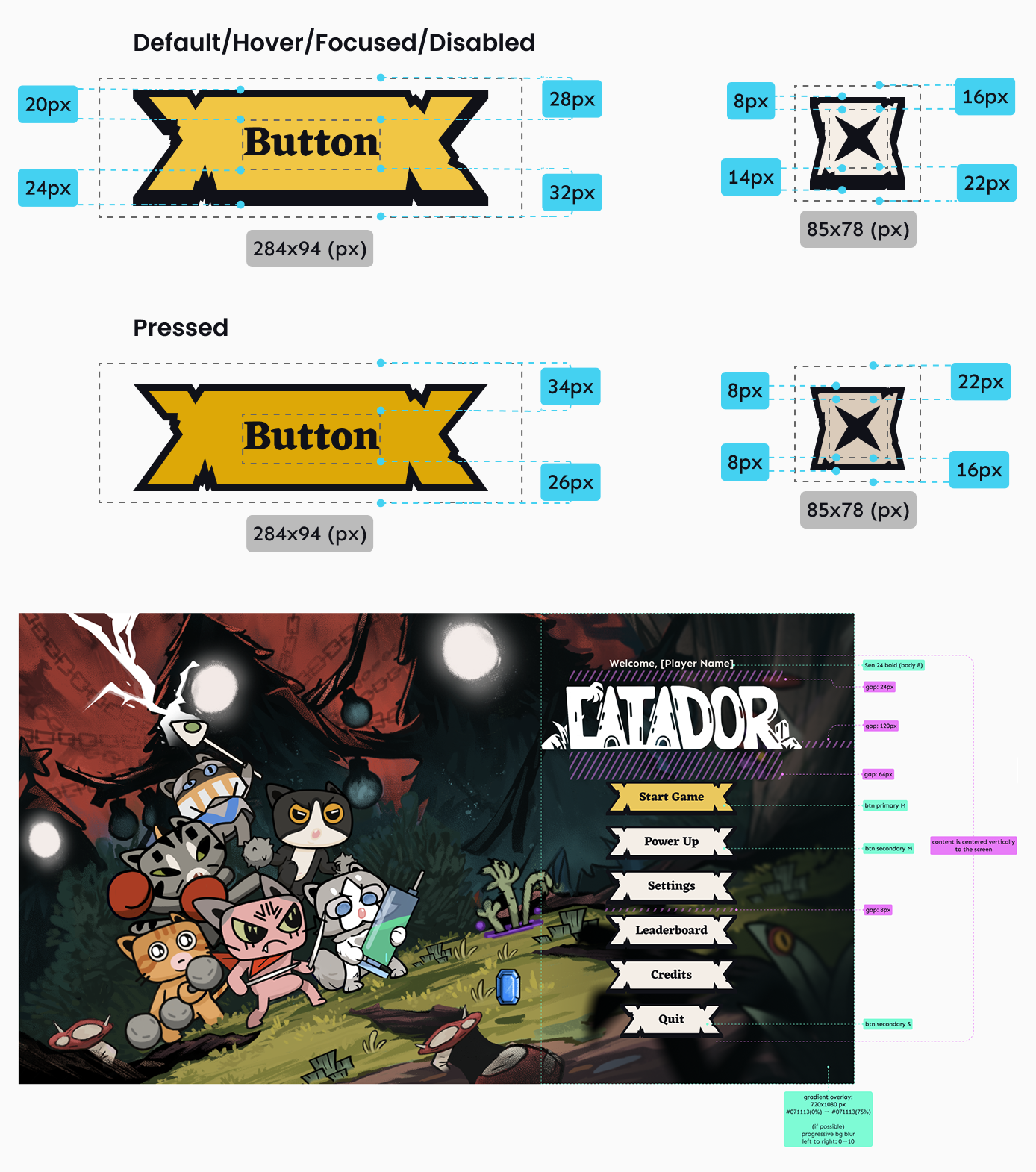
To support smooth implementation, I annotated spacing, font sizes, colors, and component behaviors. This reduced back-and-forth discussions and allowed developers to implement UI more efficiently.
What I Learned
This project strengthened my ability to design game-focused UX that balances aesthetics, usability, and technical constraints. Designing UI from scratch while collaborating closely with developers taught me how to think beyond screens, considering pacing, player attention, and implementation realities.
What’s Next
Test in Unity alongside mobile and console controls
Add tooltips to improve clarity for interactive elements
Design a landing page website for game introduction
More Projects
Next Project ❯

SKINCAIR App
Designing AI-powered app for personalized skincare routines
❮ Previous Project

WUA: Design System
Design an accessible system